Instant answers · Zero context switching · Works on anything visible

AI on your screen. Instantly.

Drag over anything. Get answers, explanations, translations, and summaries — privately, without leaving what you're doing.

5 free Vision responses 15 min Phantom trial No credit card
Answer Mode

Everything you need.
Nothing you don't.

The first frictionless AI overlay. Built different.

1
World's First

Phantom

You see it. They don't.

Your AI overlay becomes hidden from screen recordings, screenshots, and screen shares. You see everything. They see nothing.
Hidden from screen capture and recording software
Screenshots capture clean desktop only
Types directly — never touches clipboard
Pro

Recorded externally — screen capture can't see it

Five Powerful Modes

One overlay.
Endless ways to use it.

Switch between modes instantly with a keystroke. Each one optimized for exactly what you need.

Answer

Default mode

Get direct, concise answers to any question. Perfect for quick facts, definitions, and solving problems on the fly.

Best for:

Quick facts Math problems Definitions

Translate

35 languages

Instantly translate any text to your preferred language. Works with 35 languages, right where you need it.

Best for:

Foreign websites Documents Messages

Summarize

Save time

Condense long articles, documents, or threads into key points. Get the gist without reading everything.

Best for:

Long articles Email threads Reports

Explain

Pro
Deep understanding

Break down complex concepts into simple steps. Great for learning, understanding problems, or grasping difficult topics.

Best for:

Complex concepts Step-by-step Problem solving

Rewrite

Pro
Polish anything

Instantly rewrite any selected text to be clearer, more concise, more professional, or better-phrased. Perfect for polishing emails, reports, and messages.

Best for:

Emails Writing Clarity Polish

3 Steps.
That's it.

No learning curve. No complex setup. Just pure speed.

1

Press a hotkey

Trigger the overlay from anywhere on your screen with a single keystroke.

Ctrl + X
2

Drag over anything

Select text, images, UI elements, videos — anything visible on your screen.

Text Images UI
3

Get your answer

AI responds in seconds. No app switching. No copy-paste.

~1-3s response

See it in action

Revolutionary speed

Select any text on screen and instantly translate it to your preferred language.

Foreign emails Web articles

Improve tone, clarity, and professionalism of any email or document while you write.

Important emails Reports & docs
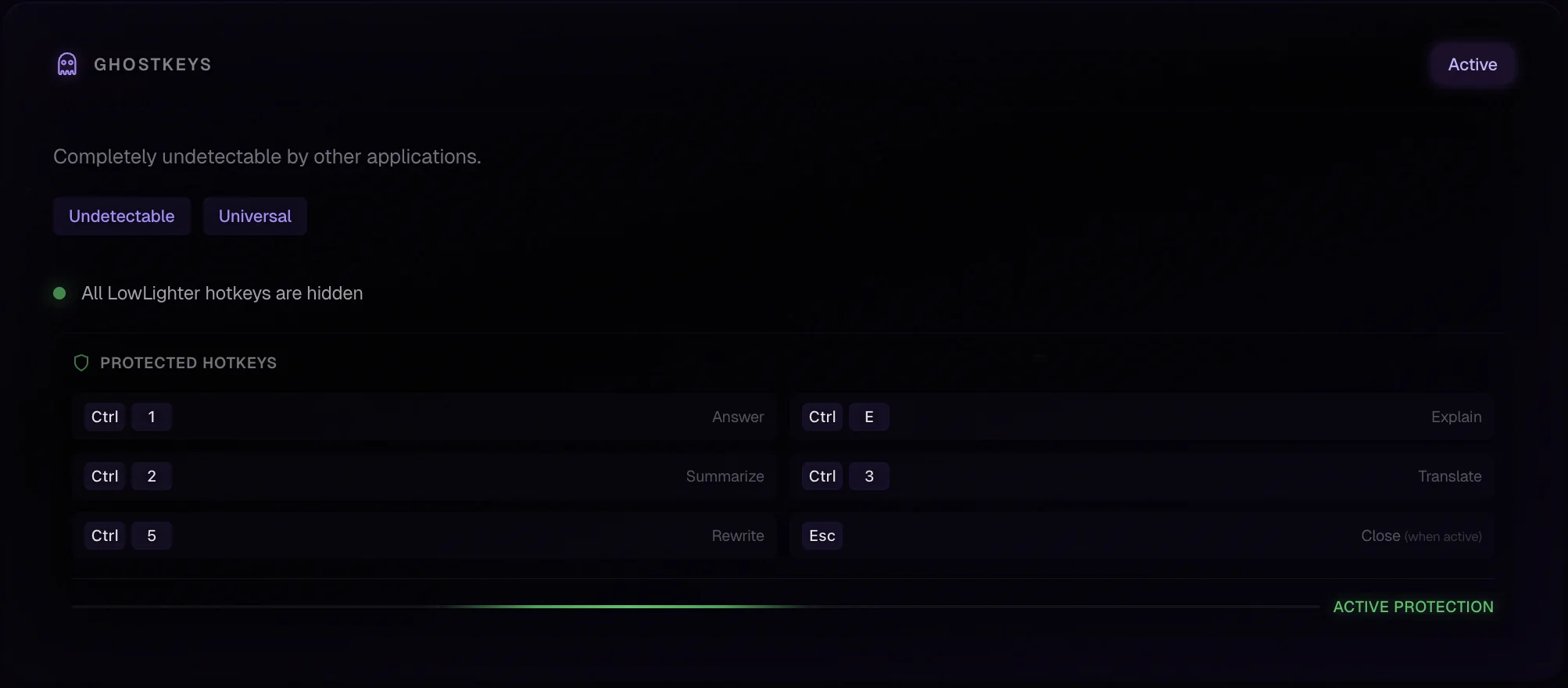
GhostKeys settings interface showing stealth hotkey configuration

Configure stealth hotkeys in settings

Stealth Hotkeys

GhostKeys

Your shortcuts. Hidden.

Hotkeys that exist below the surface. Registered at the OS kernel level — hidden from other applications.

Low-level hooks that stay hidden
Your hotkeys, hidden from other apps
Silent operation — no visible registration
Unlock GhostKeys Included in Basic & Pro

Pricing that pays you back in time

Choose the plan that saves you hours every week. Cancel anytime, no questions asked.

Save 16% yearly
Most popular
Try it free

Free Trial

$0

5 Vision responses to explore the app.

  • Answer & Summarize modes
  • 5 Vision responses included
  • Phantom • 15 min free
  • Works on Windows & macOS
  • No credit card required
Everything unlocked

Pro

$7.99 USD / month

The full LowLighter experience.

  • All modes: Answer, Explain, Summarize, Translate
  • Rewrite mode
  • 500 Vision responses/month
  • Fast, Auto & Vision engines
  • Phantom • Hidden overlay
  • GhostKeys • Hidden hotkeys
  • All Aesthetics • Ambient & Winter Frame
  • Unlimited Fast-mode answers
For individuals

Basic

$4.99 USD / month

Core overlay features for everyday use.

  • Answer, Summarize, Translate modes
  • 300 Vision responses/month
  • Fast, Auto & Vision engines
  • GhostKeys • Hidden hotkeys
  • All Aesthetics • Ambient & Winter Frame
  • Unlimited Fast-mode answers
Secure payment via Stripe Have questions? See FAQ

Built for those who
value speed.

Join students and professionals who've made LowLighter part of their daily workflow.

"Been using this for my A&P lectures when the professor goes too fast. I just drag over the slide and get a quick explanation. Lowkey a lifesaver during finals week."

Jessica M.

Jessica M.

Pre-Nursing · Cal State LA

"Works anywhere I need it — even on those annoying locked PDF viewers and embedded web content. Super convenient for research."

Kevin T.

Kevin T.

Business Admin · UC Irvine

"I use this for quick research at work when I need to understand something fast without going down a Google rabbit hole. Clean interface and gets the job done."

Marcus R.

Marcus R.

Marketing Analyst · LA

Stop switching tabs.

Get answers instantly, right where you work. Free trial included.

5 free Vision responses 15 min Phantom trial No credit card macOS & Windows

Questions

Everything you need to know about LowLighter.

What can LowLighter read?

Anything visible on your screen — text, images, PDFs, videos, apps, UI elements.

Is my data stored?

Only the selected region is sent for processing. We do not store your content.

Which AI models does it use?

LowLighter automatically routes between fast, vision, and OCR engines based on what you select.

Can I customize the overlay?

Yes. Transparency, colors, borders, fonts, animations — everything is adjustable.

Is there a free trial?

Yes! You get 5 free Vision responses to try Answer and Summarize modes. No credit card needed — just download and start.

What platforms are supported?

macOS and Windows. Both installers are code-signed and production-ready.

Does it work offline?

LowLighter requires an internet connection to process AI responses.

How do I cancel my subscription?

You can cancel your subscription anytime by logging into either the LowLighter app or website, then navigating to Account → Manage Subscription and clicking cancel. If you're having trouble canceling or can't access your account, contact us at support@lowlighter.app and we'll help you out.